Seedance AI Video Generator

Create AI videos from a prompt, a photo, a clip or a song. Motion, camera work and sound are generated together.

Seedance AI Video Examples

Click any video to see its full prompt, then load it into the generator with one click.

Seedance AI Video Generator: Seedance 2.5 and 2.0, text to video, image to video and reference to video

What Is Seedance AI?

Seedance AI is a family of AI video models built by ByteDance’s Seed team. Give it a text prompt, a photo, a video clip or an audio track, and it returns a finished video with natural motion, deliberate camera work and sound generated in the same pass.

SeedanceAI.pro is an independent platform and is not affiliated with ByteDance.

Seedance AI Video Generator Features

Create Videos from Text, Images, Video and Audio

Start with a written idea, or upload what you already have. Turn a prompt, photo, video clip or audio track into a finished video, or combine them in one generation.

The photo sets the look; your prompt sets the action.
Reference to Video with Images, Clips and Audio

Show the Seedance AI video generator what you want instead of describing it. Use images for characters and products, clips for motion and camera moves, and audio for mood.

Type @ in your prompt to choose a file and say how to use it.

Download Videos with No Watermark

Every Seedance AI video downloads without a watermark, including videos made with free credits. You can see the credit cost before you generate, and find your videos in History when they’re ready.

Seedance 2.5 vs Seedance 2.0:
Which Model to Use

Seedance 2.5Seedance 2.0
Best forLonger scenes, ads and stories with many referencesQuick social clips and tests
Length per video5–30s5–15s
Aspect ratiosAuto, 16:9, 9:16, 1:1, 4:3, 3:4, 21:9Auto, 16:9, 9:16, 1:1, 4:3, 3:4, 21:9
Resolution480p, 720p, 1080p480p, 720p, 1080p, 4K
SoundGenerated with the videoGenerated with the video
Reference files in totalUp to 50Up to 12

Try Seedance AI Video Generator Free

The first 100 people each day get 200 credits. Write a prompt above, or reuse one from the examples.

How to Use Seedance AI Video Generator

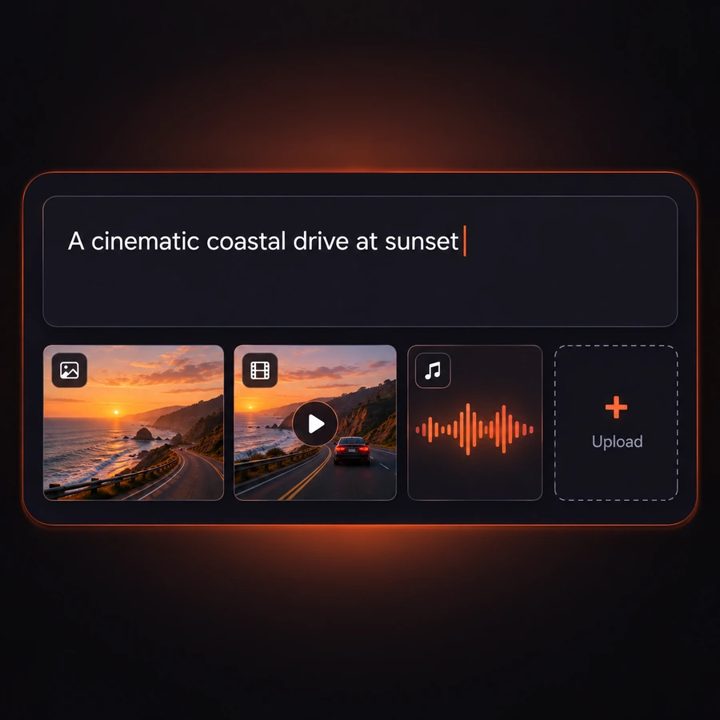
Prompt box with an image, a video clip and an audio track uploaded as references
1

Describe or upload

Write the scene, or add images, clips and audio as references.

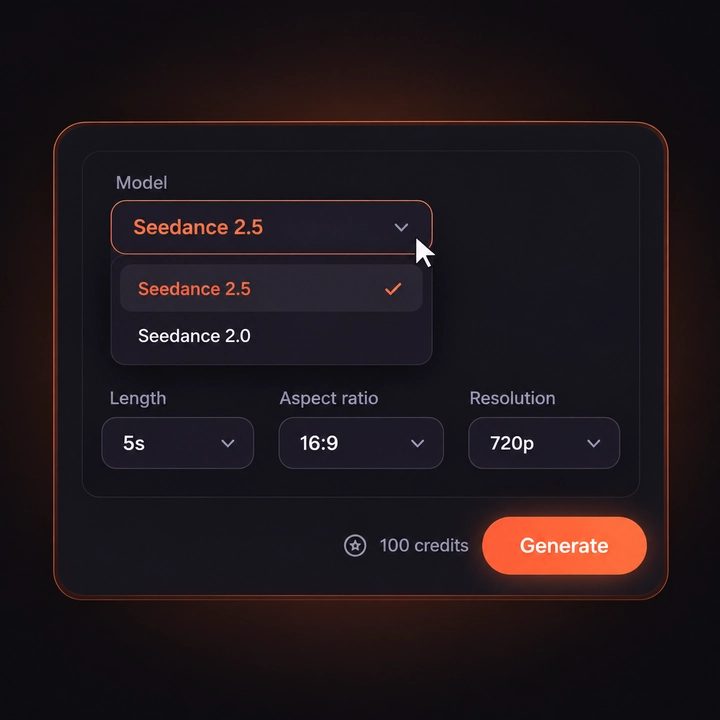
Choosing Seedance 2.5, length, aspect ratio and resolution, with the credit cost next to Generate
2

Set the shot

Choose the model, length, aspect ratio and resolution. The credit cost shows next to Generate.

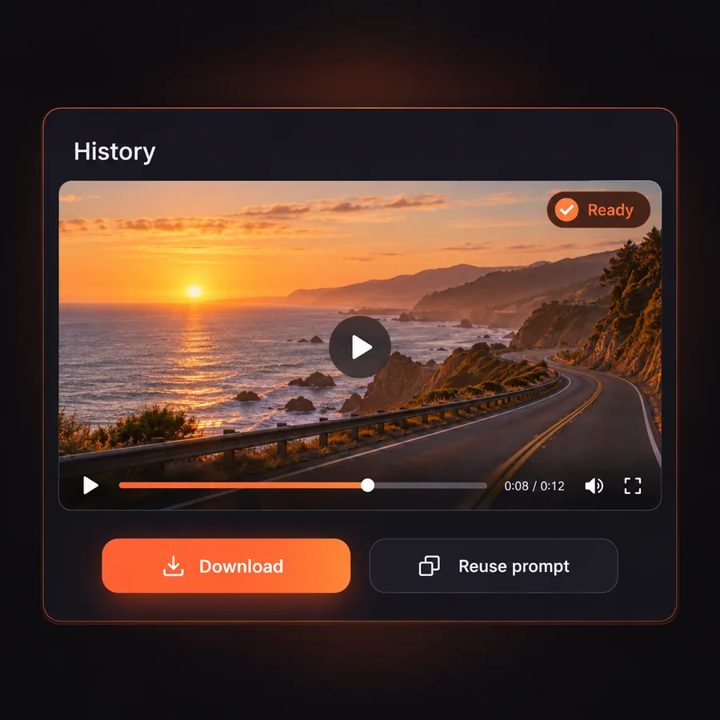
Finished video in History with Download and Reuse prompt buttons
3

Generate & Download

The finished video appears in History. Download it, or reuse the prompt to try a variation.

How to Write Seedance AI Prompts

Describe the shot, not the mood. Three habits make most of the difference.

Cover four parts in one sentence

A street dancer in a red jacketSubjectspins and lands a freezeActionon a wet rooftop at night, neon reflectionsLooklow-angle tracking shotCamera

Point at uploads with @

Say what each file is for:

  • @Image1 is the main character. She walks into a rainy alley at night.
  • A red sports car on a coast road, the camera moves like @Video1.

Avoid

  • Too much in one shot. One subject, one main action.
  • Adjectives only. Name the camera move and the light instead of “epic, cinematic”.
  • Contradictions like “sunny night” or “static camera, fast pan”.

Click any video in Seedance AI Video Examples to see its full prompt and reuse it.

Seedance AI Use Cases

Short-form videos

Start in 9:16 and make clips for TikTok, Reels and Shorts without a camera or an edit timeline.

Product and e-commerce ads

Upload a product photo as a reference and test several scenes, moods and camera angles before you book a shoot.

Short drama and storyboards

Reuse the same character reference across scenes and turn a script idea into a watchable draft.

Music and creator visuals

Add a song or voice track as a reference and build visuals around its mood.

Seedance AI Free Trial: Daily Free Credits

Seedance AI is free to try while we launch. No credit card, no subscription: you get free credits every day.

200credits a day for the first 100 people
50credits a day for everyone after that
00:00 UTCdaily reset · unused credits don’t carry over

Longest video you can make with 200 credits

Seedance 2.5Seedance 2.0
480p20s15s
480p with a video reference30s15s
720p10s14s
720p with a video reference16s15s

One video can be up to 30s on Seedance 2.5 and 15s on Seedance 2.0. You can also split your credits across several shorter videos. 1080p is available on both models, and 4K on Seedance 2.0. The exact cost shows next to Generate before you start. Failed generations are refunded automatically.

Seedance AI Video Generator FAQs

Is Seedance AI free?

Yes, during launch. The first 100 people each day get 200 credits, and everyone after that gets 50, until the day’s free credits run out. Credits reset at 00:00 UTC and don’t carry over.

Which Seedance AI model should I use?

Seedance 2.5 for videos up to 30 seconds or with many reference files. Seedance 2.0 for clips up to 15 seconds.

What files can I upload?

With Seedance 2.5: up to 30 images, 10 videos and 10 audio files, 50 in total. Videos and audio can each total up to 30 seconds. See Tips under the Upload button for formats and size limits.

How do I reference an upload in my prompt?

Type @ in the prompt box and pick a file, such as @Image1. Then say what it’s for, for example “@Image1 is the main character”.

Why did my video fail?

Usually because a prompt or upload breaks the content rules, for example a photo of a celebrity. Credits for failed videos are refunded automatically.

Can I use the videos commercially?

Yes. You can use the videos you create for commercial work, including ads, social media and client projects. You are responsible for having the rights to everything you upload or describe: don’t use material you don’t own, celebrity likenesses, or other people’s brands, characters or IP. See our Terms of Service for details.

Is this the official Seedance website?

No. SeedanceAI.pro is an independent platform that gives you access to Seedance AI models. It is not affiliated with ByteDance.